









1. Start With Your Purpose
Your main use case drives almost every decision:
-
Basic use (web, email, videos): Light CPU, decent battery, good screen. - Acer, HP laptops
-
Students / office work: Balanced performance, portability, long battery life. DELL, ASUS
-
Creative work (photo/video editing, design): Power CPU/GPU, high-quality display. DELL,ASUS,MSI
-
Gaming: Strong GPU, high-refresh display, good cooling. DELL Gaming,ASUS Gaming,MSI Gaming
-
Business / travel: Lightweight, durable build, long battery + security features. MSI,DELL
Knowing this up front saves you from overpaying for power you don’t need or ending up with underpowered hardware.
2. Choose an Operating System (OS)
-
Windows: Most flexible; wide range of apps and hardware.
-
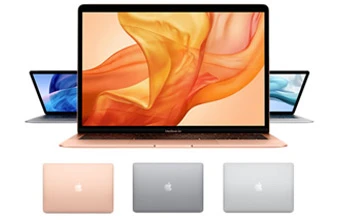
macOS (Apple MacBooks): Excellent optimization, long support, great battery life.
3. Key Specs That Matter
⚙️ CPU (Processor)
The “brain” of your laptop:
-
Intel Core i5/i7 or AMD Ryzen 5/7 — great general performance.
-
Higher-end models (Core Ultra, Ryzen AI series) add better multitasking/AI support.
-
Apple’s M-series (M3, M4, M5) offer strong performance and battery efficiency in MacBooks.
RAM (Memory)
-
8 GB has become the practical minimum for most Light weight users today.
16 GB has become the Medium Range for most users today.
-
32 GB+ is ideal for heavy multitasking, creative apps, or future-proofing. Avoid 8 GB unless your tasks are very light.
Storage
-
SSD (Solid State Drive) — much faster than old HDDs.
-
Aim for at least 256 GB, especially if you store media or large files.
-
Avoid 256 GB SSD unless your tasks or media are very light.
Display
-
13–14″ — portable, everyday use.
-
15–16″ — best balance for productivity and entertainment.
-
Resolution & panel quality: Full HD (1080p) is common; QHD/4K or OLED offers better clarity for creators.
-
Higher refresh rates (120 Hz+) are beneficial for gaming or smooth motion.
Battery Life
-
8–10 hrs+ is ideal for on-the-go use; battery drains faster with high refresh/4K panels
4–5 hrs+ is ideal for Students, so it will be less price
Ports & Connectivity
-
Modern laptops include USB-C / Thunderbolt, USB-A, HDMI, headphone jack.
-
Ensure the ports match what you actually use (e.g., SD card for photographers).
-
Wi-Fi 6/6E and Bluetooth 5+ improve wireless performance.
Best Budget for Students
Perfect for schoolwork, browsing, note-taking, and online classes without breaking the bank.
-
Affordable Windows laptops with 8 GB RAM + SSD — plenty for most student tasks.
-
Lenovo IdeaPad / HP Pavilion / Acer Aspire / ASUS VivoBook — solid everyday machines (look for 8–16 GB RAM and SSD storage).
4. Other Important Factors
Build Quality
-
Metal builds (aluminium/magnesium) are more durable than cheap plastic.
-
Hinges, keyboard feel, and touchpad responsiveness all matter for daily comfort.
Security Features
For business users, look for TPM, biometric login (fingerprint/face), and hardware encryption support.
Upgradeability
Many modern laptops solder RAM/storage, meaning they can’t be upgraded later. Choose adequate specs upfront.
5. Price & Budget Considerations
Here’s how your budget roughly translates to what you can expect:
-
Entry level (~Rs120,000–Rs160,000): Basic use (web, video, Docs).
-
Mid range (~Rs140,000–Rs220,000): Students, office work, light creation.
-
High end (>~Rs200,000): Creatives, professionals, gaming, long-term future proofing.
Spending a bit more often gets you better performance and longevity.
-> Buyer Checklist
✔ Purpose (school/office/gaming/creative)
✔ OS choice
✔ CPU + RAM (16 GB+ recommended)
✔ SSD storage size (512 GB+ advised)
✔ Battery life expectations
✔ Display quality & size
✔ Required ports & connectivity
✔ Build quality & upgrades
✔ Budget alignment